Using plan mode in Claude Code
I've been using Claude Code for the last few months and have found it to be one of the most consistent of the several agentic coding tools I've tested. In my toolset, Cursor was the first development tool I saw with a plan mode. I was extremely when I discovered that it's also available in Claude Code.

While creating custom agents and memories can get you most of the way to this behavior, both Claude and Cursor's plan mode allows you to define a specific set of requirements (consider a large technical refactoring that involves potentially breaking changes) and provide task-specific context that an agent might miss when making changes.
Using Claude Code in the CLI, this process is already more challenging since it has less screen real estate and no UI elements. Once you provide Claude with a prompt, it will open a tabbed ASCII menu with a list of questions. Based on its current parsed context, it normally will offer multiple-choice questions (a list of various paths to complete the change) and provide you a last option to write in your own guidance.
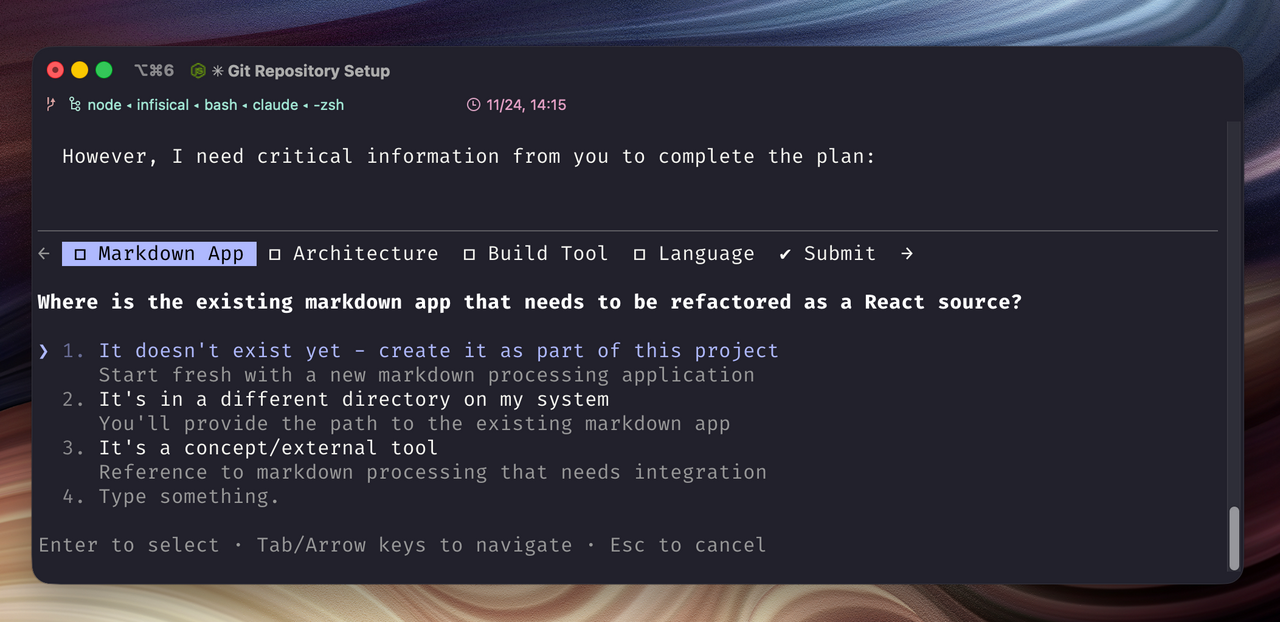
After you answer all the questions, the system will return a markdown document. The document will include a written plan of the agent's approach and outline additional tasks or considerations worth noting.
Having another option between agent (execute/write changes) and ask (discuss/read-only) really helps expand the possibilities of agentic development.